
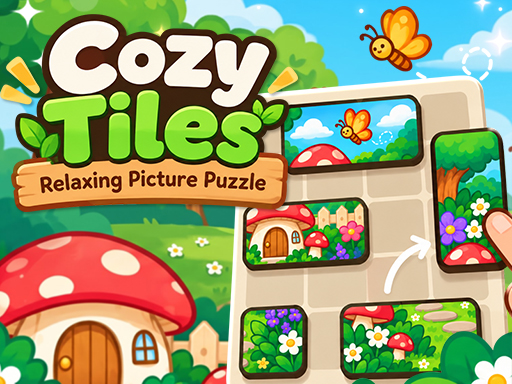
Cozy Tiles - Relaxing Picture Puzzle
Puzzle
Cozy Tiles - Relaxing Picture Puzzle
Relax with Cozy Tiles, a free picture puzzle. Drag tiles into place to complete 100 charming pictures across 10 chapters. Play in your browser, no download.
Instant Browser PlayNo Download NeededPC & Mobile Compatible
How to play Cozy Tiles - Relaxing Picture Puzzle
1. Drag a tile to move it. It snaps to the grid where you let go. 2. Place tiles next to each other the way they fit in the picture , correct neighbours join into one piece that moves together. 3. Join every tile into the complete picture to finish the level. Touch Drag a tile, release to drop it. Mouse Click and drag a tile, release to drop it.
Game details
- Genre
- Puzzle Games
- Platforms
- Web browser on desktop, Chromebook, tablet and mobile
- Price
- Free, no download or sign-up
- Added
Games like Cozy Tiles - Relaxing Picture Puzzle
- Brass Labyrinth · Puzzle Games
- Arrow Slide · Puzzle Games
- Echo · Puzzle Games
- Pythagoras Mahjong · Mahjong Games
- Arrows Cube · Puzzle Games
- JigSaw Mender: Mosaic Puzzle · Puzzle Games
- counterpoise · Puzzle Games
- Chess Marathon · Puzzle Games
More Puzzle Games & Free Online Games
Enjoyed playing Cozy Tiles - Relaxing Picture Puzzle? Discover more high-quality titles in our Puzzle Games hub, or explore our curated Unblocked Games collection with fast loading and zero downloads required.